HiFi Control 1.7.0 has been released. This version adds Sound Controls, expands what Presets can do, and gives Sound A/B Test a wider role. It also makes more of your device’s own settings available from the desktop.
Volume and playback are only part of controlling a hi-fi system. You may also want to adjust the bass, choose a listening mode, or return to a set of settings that works well for a particular source. The new features below bring more of that setup into HiFi Control.
Download v1.7.0 to get the new features. Available controls depend on your device, firmware, and edition.
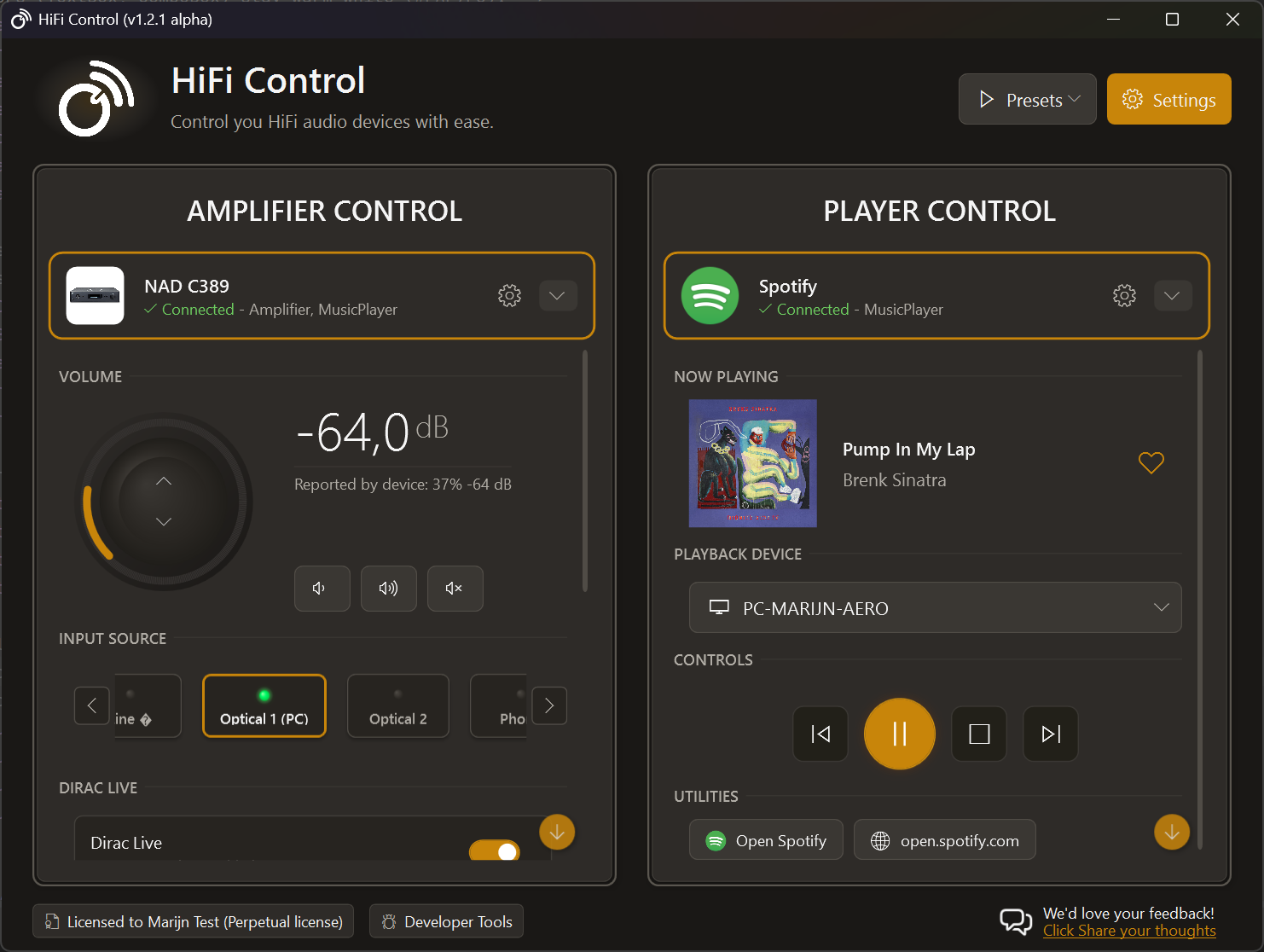

Sound Controls
The new Sound section puts the adjustments your device supports alongside its volume and playback controls. On a compatible BluOS amplifier, that can mean tone controls, bass, treble, and balance. HEOS and MusicCast devices expose their own supported controls, with options such as subwoofer level, dialogue settings, or sound programs on suitable models.
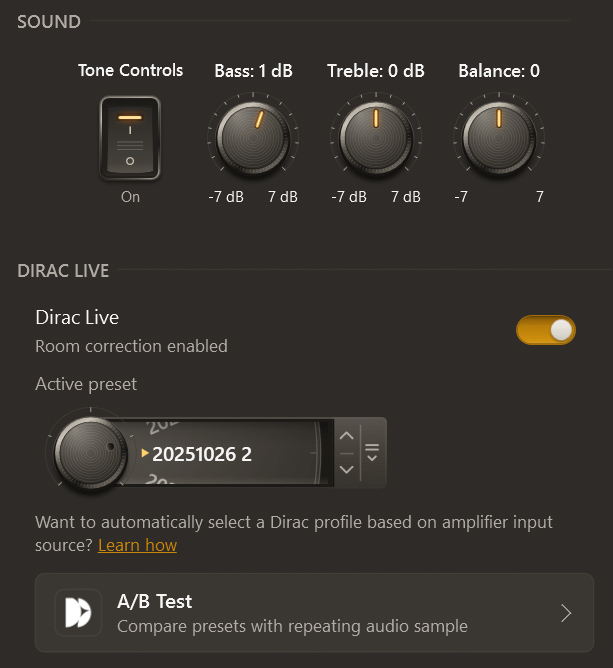
The controls follow the device’s ranges and step sizes. You can hide controls you do not use, reorder the ones you keep, and save individual adjustments as Preset actions.
Changes in the device card apply immediately. These are controls for your audio equipment, so their effect follows the device and its current listening mode.
Learn how to use Sound Controls.
Compare more than Dirac profiles
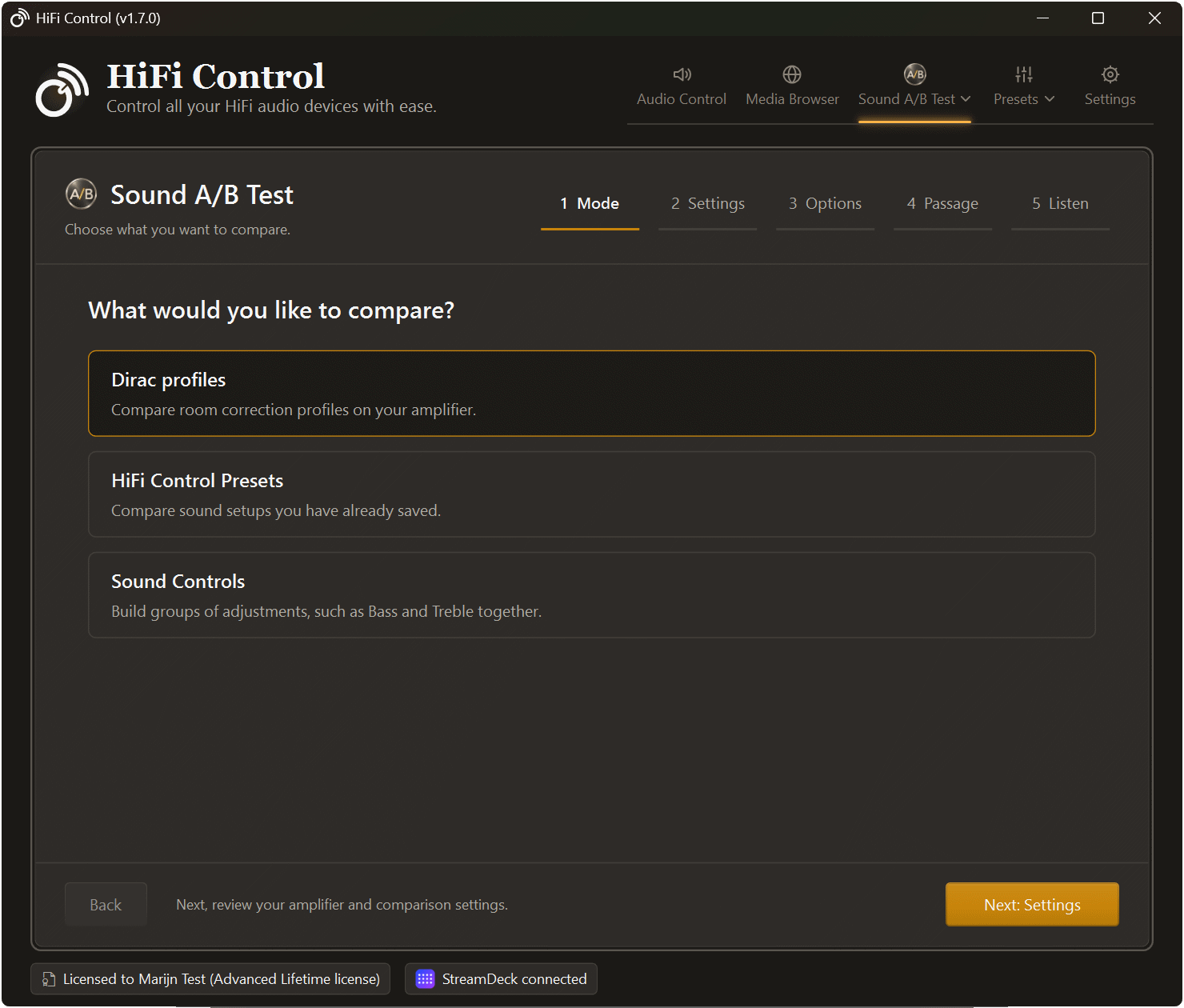
The former Dirac comparison tool is now Sound A/B Test, available from Tools. Choose between three kinds of comparison:
- Dirac profiles, including an optional Dirac Off choice.
- HiFi Control Presets containing sound settings you have already saved.
- Sound Controls, where you build groups of adjustments to compare.
The guided setup takes you from choosing a mode to selecting options and a listening passage. With a player that supports seeking, Restart after switching lets you hear the same passage after each change. You can also leave playback running as you switch.
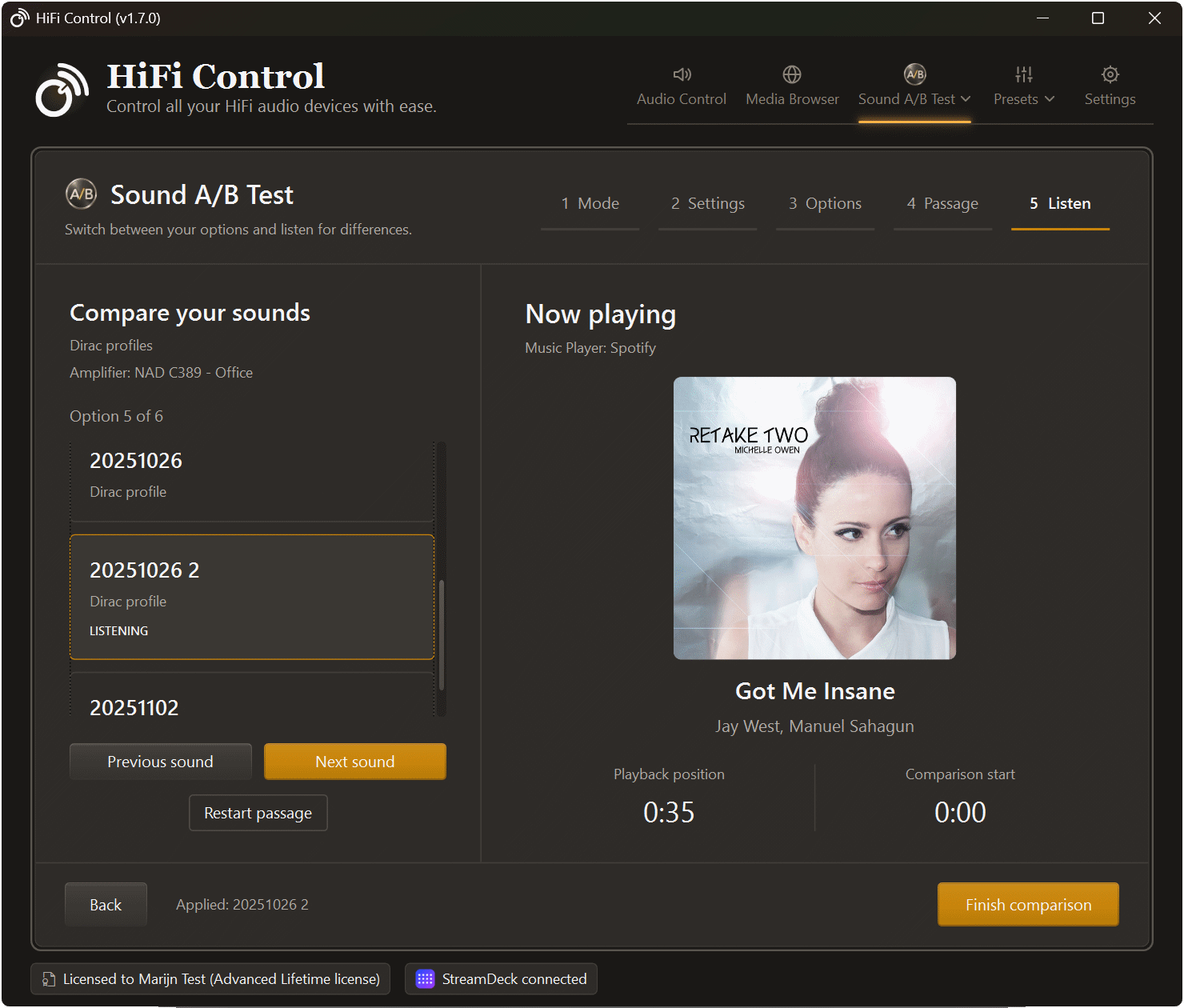
When comparing Presets, the default is Sound Controls only. Choose Run all Preset actions only when you also want the Preset’s power, input, playback, or other actions to run. The tool does not automatically match loudness, and the last sound settings you apply remain active when you leave it.
Sound A/B Test is available with Advanced or Premium, including an Advanced Lifetime license. See the comparison guide for setup and device requirements.
Presets that can wait and react
A Preset can now power on a supported device, wait until it is ready, select an input, and apply sound settings in sequence. New actions also cover explicit mute and unmute, pausing playback, delays, and grouping or ungrouping compatible devices.
For example, a listening Preset could use:
- Power On for the amplifier.
- Wait Until Ready before sending the next command.
- Select Input Source for your music source.
- Set Amplifier Sound Control for each sound adjustment you want to recall.
Automatic triggers can respond to connection, power, playback, mute, group, or selected-device changes. You can also run a Preset at a scheduled day and time, after playback has been inactive for a chosen duration, or when Windows locks, unlocks, or resumes.
Schedules run while the PC is awake and HiFi Control is running. A missed time is skipped. If a Wait Until Ready action times out, the remaining sequence stops.
See the Preset actions and triggers.
Sound Controls on Stream Deck
The matching Stream Deck plugin adds a Sound Control action for supported switches, choices, and dial adjustments. On Stream Deck +, press the dial to choose a control, turn to browse, and press again to select it. You can then adjust a numeric control by turning the dial, or use the touch strip to apply a choice or toggle.
The desktop app and Stream Deck plugin have separate installers and release cycles. Sound Controls on Stream Deck currently require the plugin beta; use the pre-release plugin guide to install it. HiFi Control’s Stream Deck settings show the connected plugin version and available updates.
Set up Sound Controls on Stream Deck.
Everyday improvements
This release also improves Spotify reconnection after temporary failures and fixes playback-device list errors during connection changes. Application and Stream Deck update dialogs appear in order, and feedback prompts no longer interrupt update installation or Windows shutdown.
Download v1.7.0 and let me know how it works with your setup through the contact page. Include the app version, device model, and firmware version when reporting a device-specific problem.