Version 1.4.0 is out! Two things to cover: the new Media Browser, and a UI change that makes it (and future tools) easier to reach.
The Media Browser
Until now, finding music meant switching to the app or web interface of whichever streamer or service held it. The Media Browser collapses all of that into one window. Every device that supports browsing or searching, including BluOS, HEOS, Spotify and Tidal, shows up in a single sidebar and queries run across all of them in parallel.
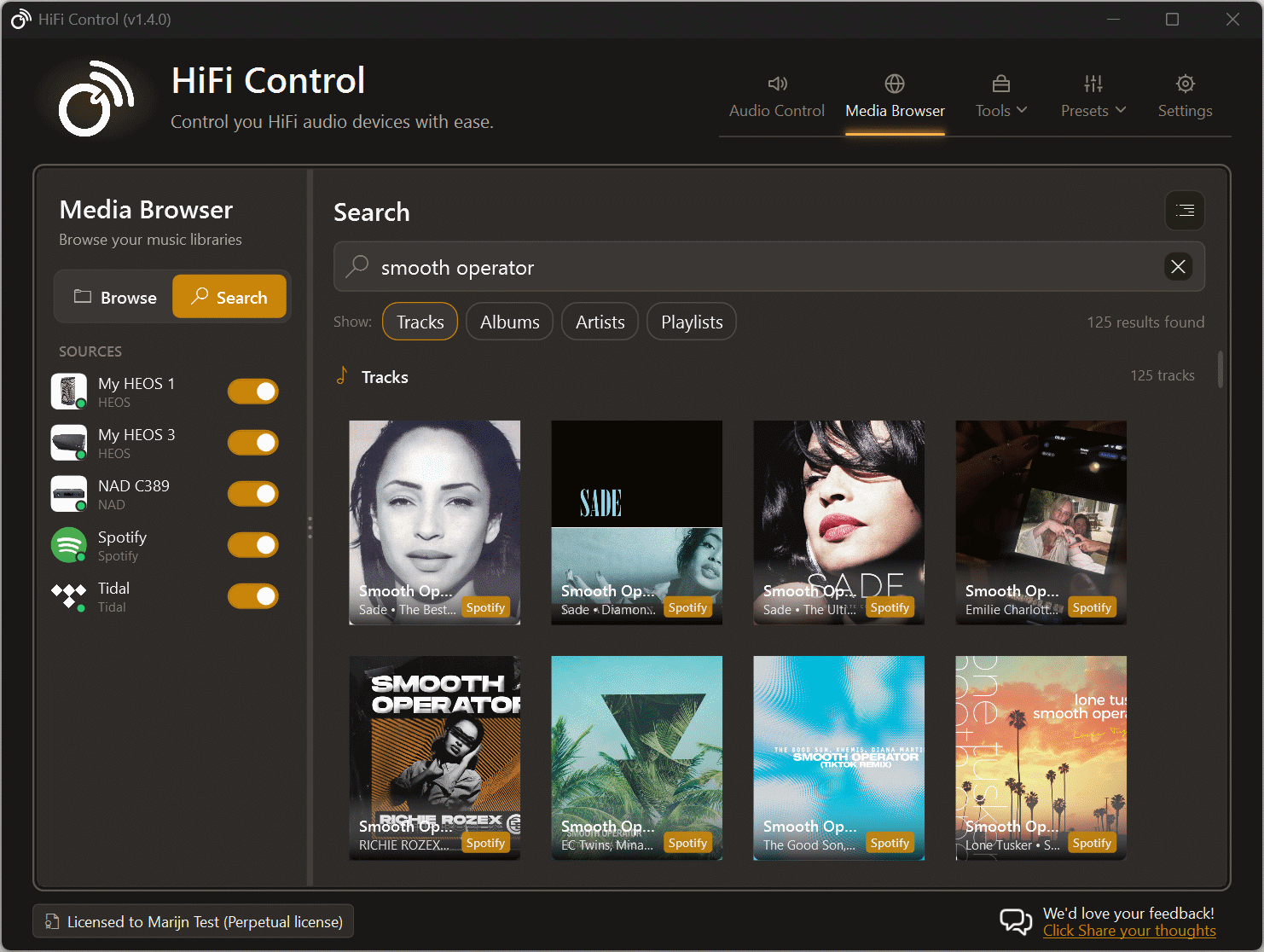
It opens in Search mode by default. Type a query and results stream in from each device as they arrive, grouped by Artists, Albums, Tracks, and Playlists. Four toggle chips let you skip categories you don’t care about; those preferences are remembered between sessions.
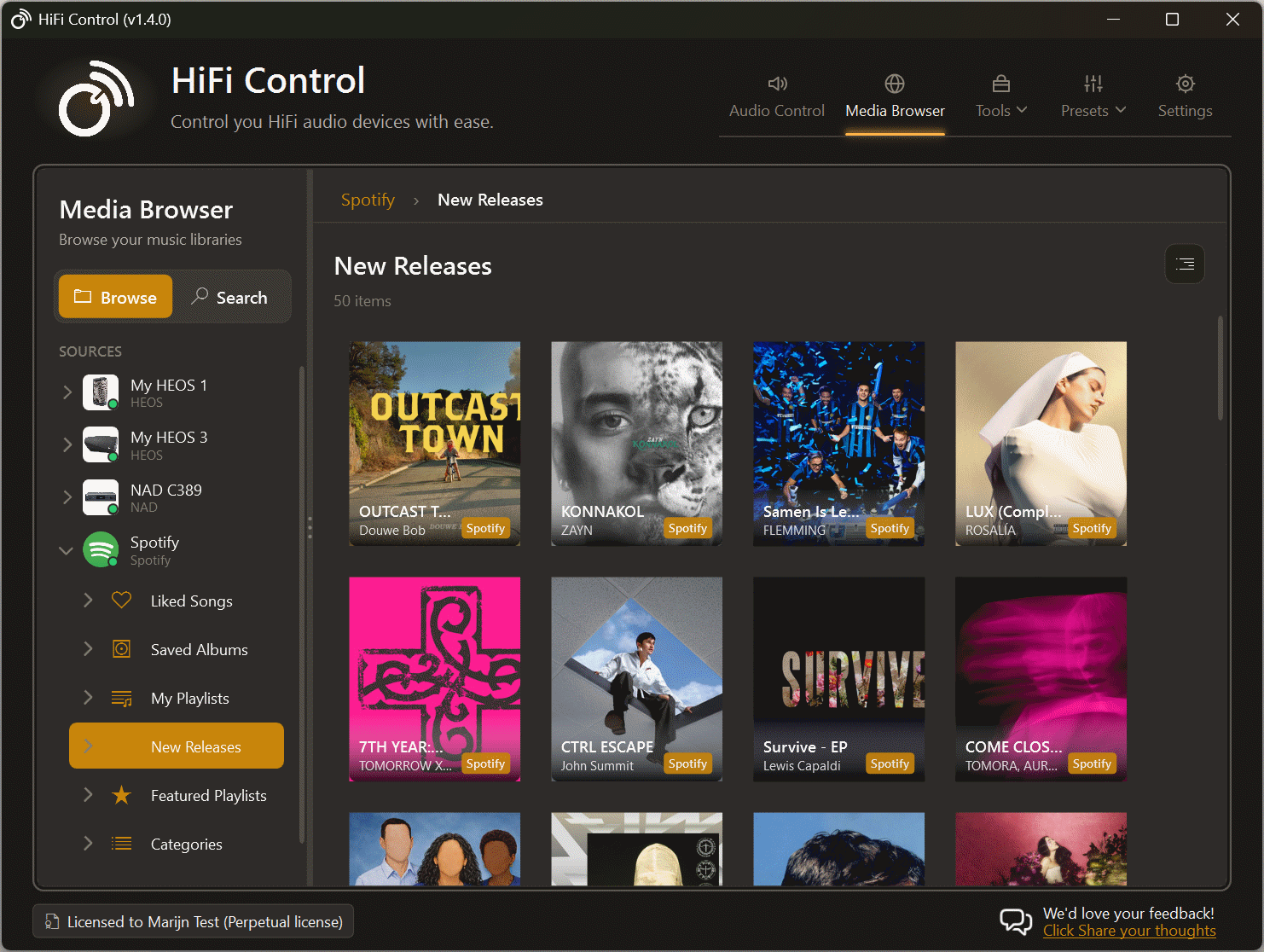
Switch to Browse mode and the sidebar turns into a tree. Expand a device to see its root categories, drill into an album or playlist folder, and play items directly. Containers load on demand, so opening a device with thousands of albums doesn’t hang the UI.
A few details worth calling out:
- Per-device status. Each source shows a connection dot (green, amber, or red) that updates live. Excluded sources are dimmed and skipped in queries.
- Independent timeouts. A slow device doesn’t hold up the rest. Results from faster devices appear immediately; the slow one fills in when it’s ready.
- Three playback actions. Every result supports Play Now, Play Next, and Add to Queue where the underlying service exposes them.
- Grid or list view for browse results, with a breadcrumb and back stack so navigating deep hierarchies is reversible without re-querying.
How would you like to use the Media Browser? What’s missing for it to fit your listening routine? Let me know. Your feedback shapes what gets built next.
Easier access from the main window
The main window picked up a new launcher area for tools that aren’t tied to a single device. The Media Browser is the first occupant. It’s also where future cross-device tools will live, so adding more won’t mean reshuffling the UI again.
It’s a small change but it matters: features only get used if they’re visible.
Get it
Download 1.4.0 or let the in-app updater pick it up the next time you start the app.